Overview
This knowledge base article provides guidance on how to clean up Real-Time Service from the server after replacing it with OfficePlace Connect. Proper cleanup helps prevent port conflicts, service interference, and data inconsistencies between systems. It also ensures that OfficePlace Connect can run stably without being affected by legacy Real-Time Service components.
Note: Before performing the Real-Time Service cleanup process, make sure to identify the database connected to it. After uninstalling Real-Time Service, it may no longer be possible to determine which database it was connected to.
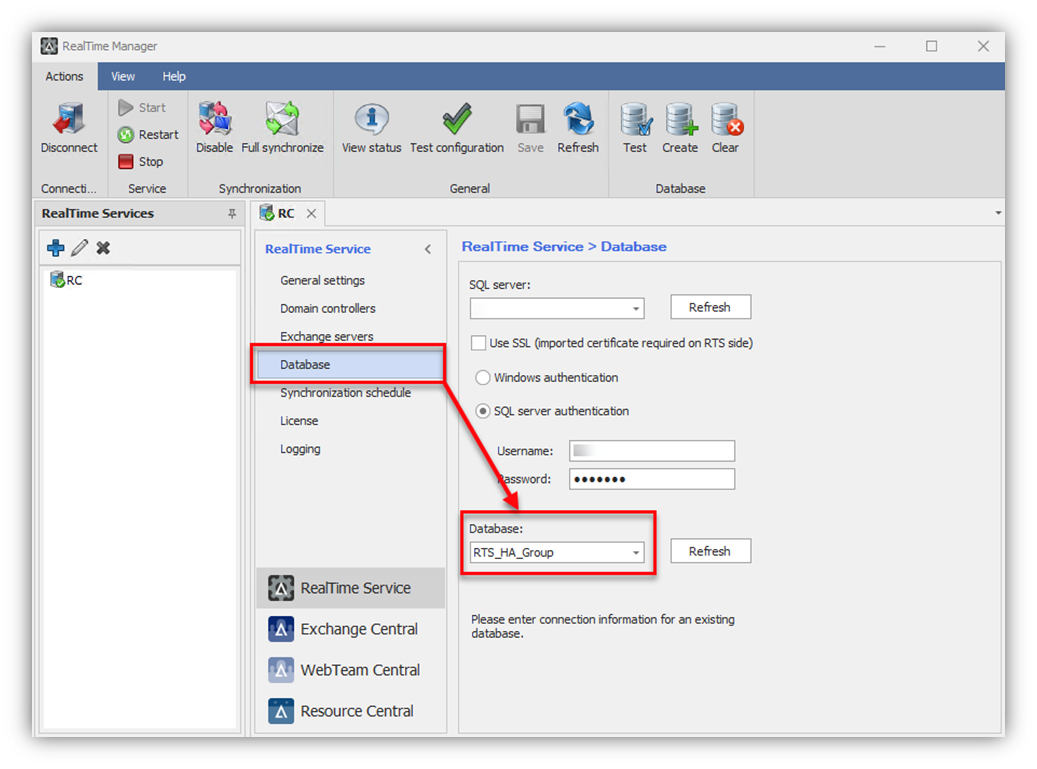
Cleanup instructions
Uninstall Real-Time Service
To uninstall Real-Time Service from your server, follow the steps below:
- Open Control Panel and navigate to Programs section ® Programs and Features.
- In the list of installed programs, locate Real-Time Service, then right-click it and click [Uninstall].
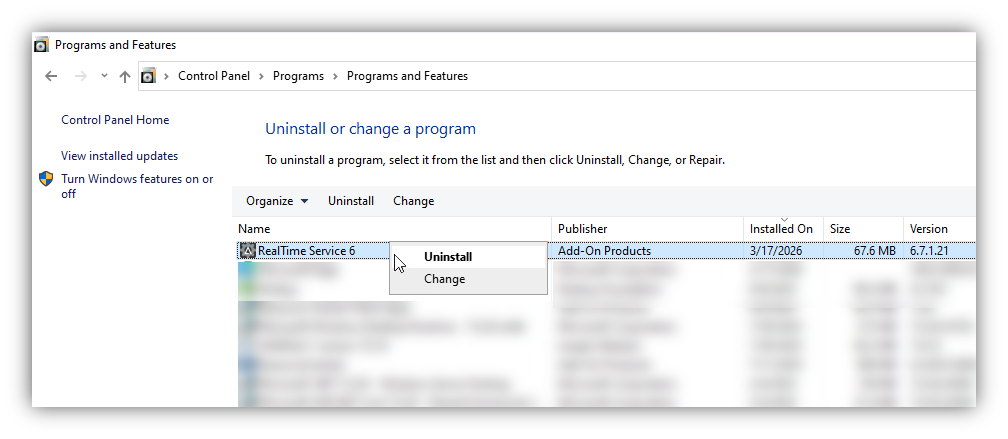
Wait for the uninstallation process to be completed.
Delete Real-Time Service Database
To delete the database connected to Real-Time Service, perform the following steps:
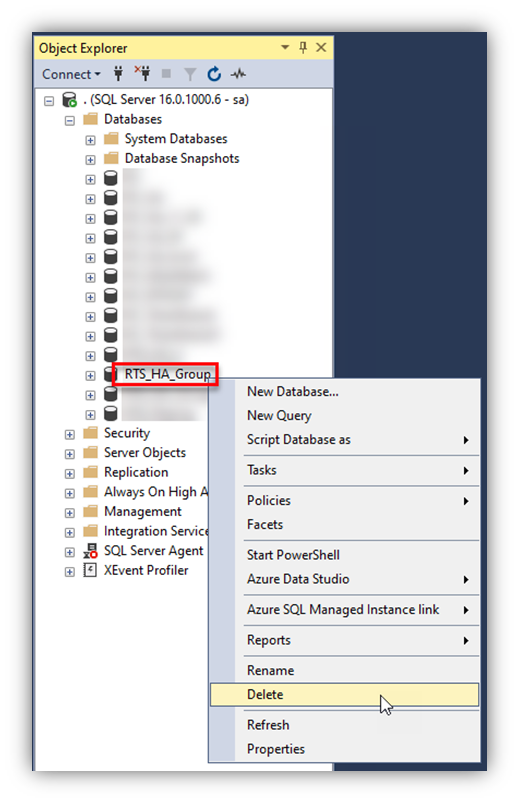
- Open SQL Server Management Studio (SSMS) and connect to the database server.
- In the Object Explorer panel, locate the RTS database.
- Right-click the database, select Delete, and confirm the deletion. Ensure that the database has been backed up if necessary before performing this action.
Disable RTS Push Firewall Access
To disable Real-Time Service push firewall access, take the following actions:
- Open Windows Defender Firewall with Advanced Security and navigate to Inbound Rules tab.
- Locate the Real-Time Service rule associated with port 10002, then right-click and select [Disable] or [Delete] if it is no longer needed.
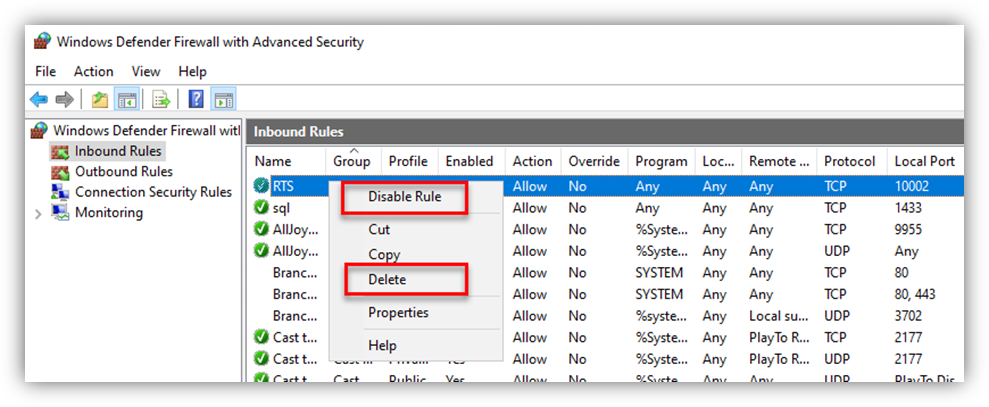
Also review and disable or delete any public firewall openings related to this port. This ensures that inbound traffic on port 10002 is fully blocked.
Properties
Applies to: OfficePlace and OfficePlace Connect
Reference: TFS #461247
Knowledge base ID: 0348
Last updated: Mar 19, 2026
Was this article helpful?
That’s Great!
Thank you for your feedback
Sorry! We couldn't be helpful
Thank you for your feedback
Feedback sent
We appreciate your effort and will try to fix the article