This document provides a brief overview of the new functionality in OfficePlace Group Calendar version 2026-06. For more detailed information, please refer to the user guide.
In this release, we have focused on improving the user experience, introducing support for appointment categories, making appointment management more efficient, and improving support for permissions in Microsoft 365 environments.
The following topics are covered in this release:
- Refreshed login and landing pages
- Appointment categories with color coding and filtering
- Copy appointments to other users or other time slots
- Improved appointment details and location display
Refreshed login and landing pages
The login and landing pages have been updated with a refreshed design and improved messaging.
The new design provides a cleaner and more modern first impression for users to access Group Calendar.
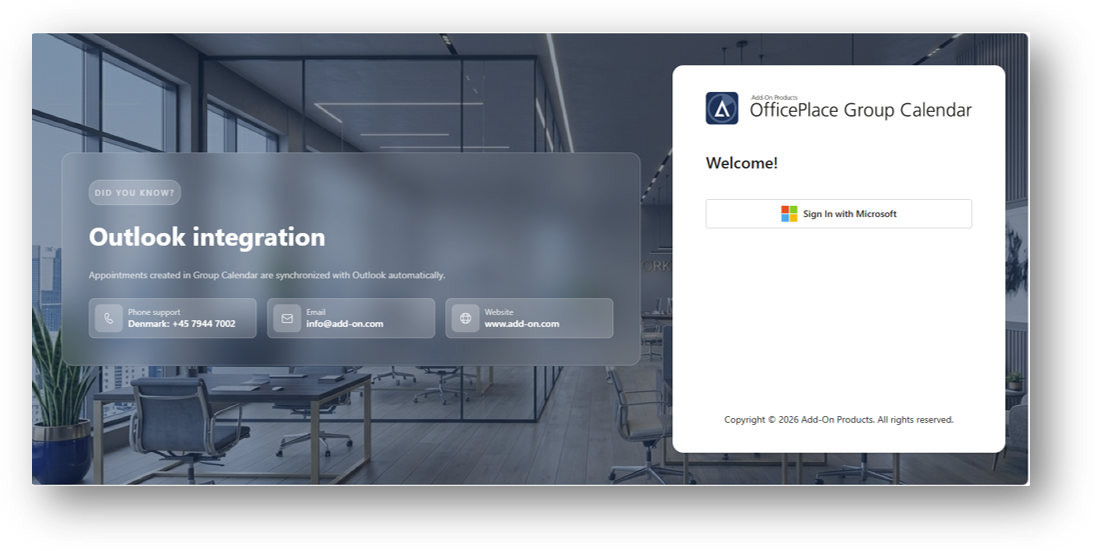
This new interface helps create a more consistent experience across the OfficePlace platform.
Appointment categories with color coding and filtering
OfficePlace Group Calendar now supports Outlook appointment categories.
Users can assign one or more categories to appointments and configure colors for each category. Appointments can then be displayed using the colors associated with their assigned categories.
The feature can be enabled through Settings, Categories using the Color events by category option.
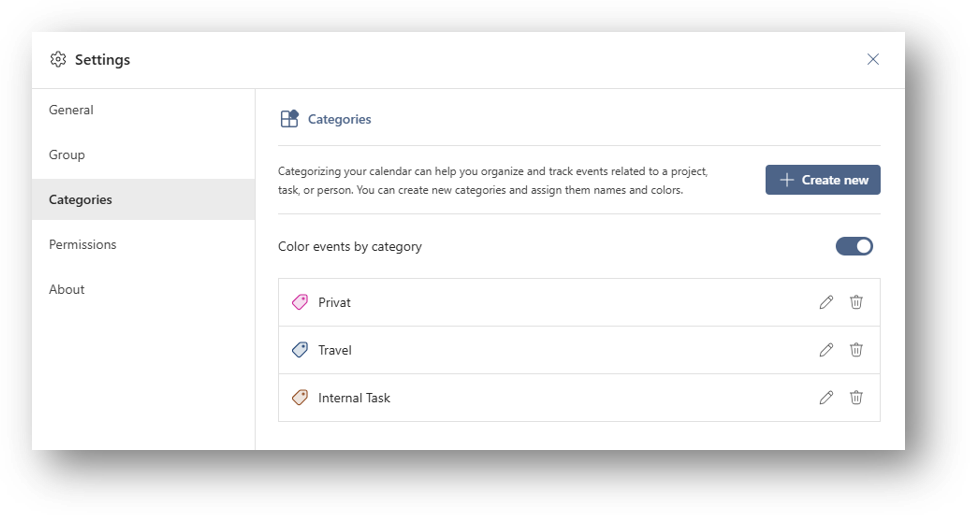
Once a color has been assigned to a category, all appointments that have been applied with that category will automatically be displayed using the selected color. This gives users a clear visual overview of the calendar and makes it easier to identify appointments related to specific projects, departments, tasks, customers, or activities immediately.
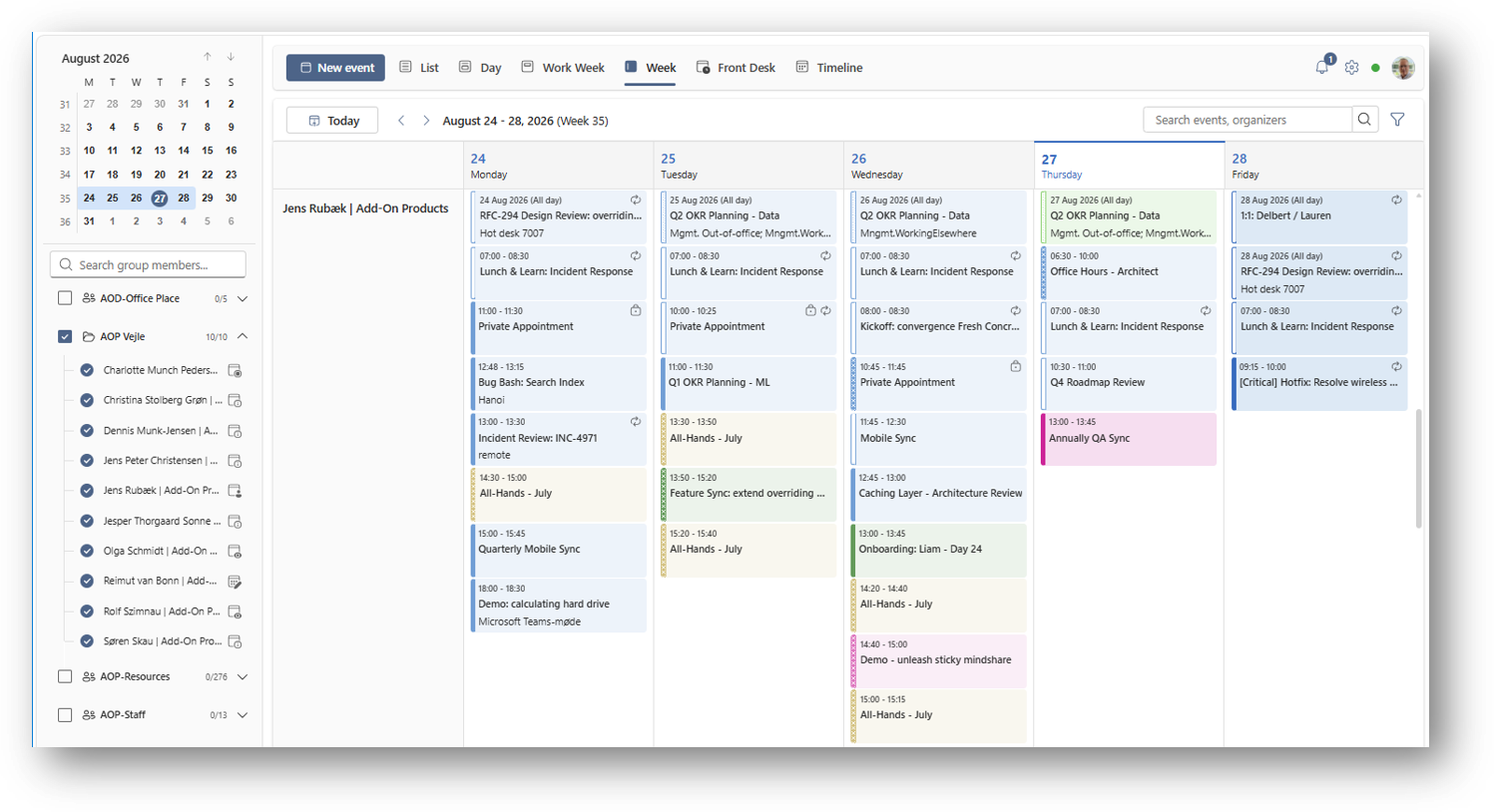
Organizations can use category colors to establish consistent visual standards across the calendars. For example, project activities can be displayed in blue, customer meetings in green, and travel activities in yellow.
In addition, users can create filters based on categories and combine multiple filter criteria to find relevant appointments more quickly. Category filtering is available as part of the filtering options in Group Calendar.
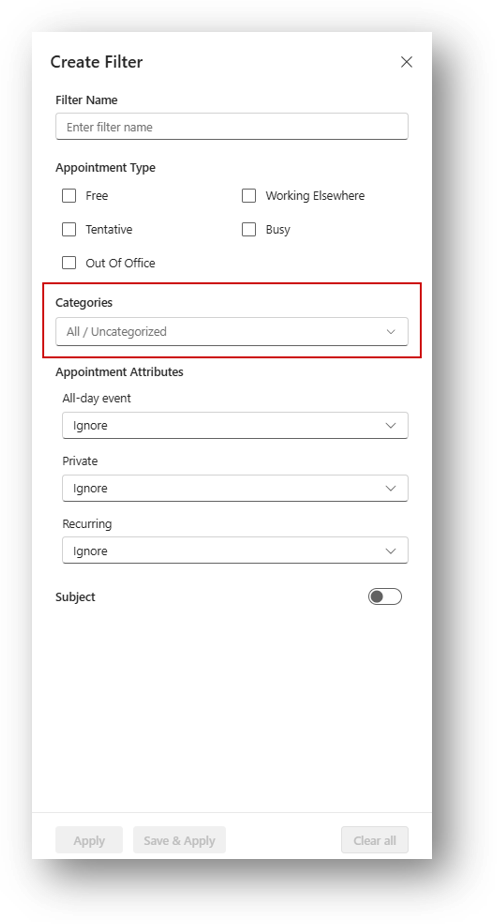
This allows users to display only the appointments that match the selected filter criteria, providing a faster and more focused overview of the information that is relevant to them.
Copy appointments to other users or other time slots
OfficePlace Group Calendar now supports copying existing appointments. Users can right-click an existing appointment and create a copy of the appointment for another user and/or schedule it at a different time.
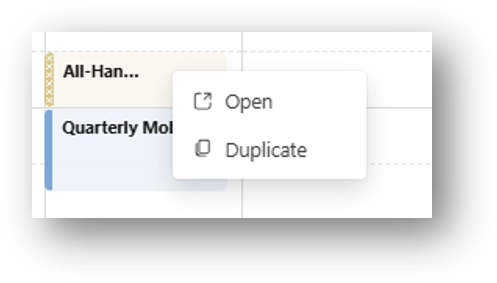
This makes it faster to create similar appointments without entering the same information multiple times. It is especially useful when managing recurring tasks, planning absences, or coordinating similar appointments across multiple calendars.
For example, an assistant can quickly copy a planned activity from one employee to another or copy a planned appointment to a different date while keeping the original appointment unchanged.
Improved appointment details and location display
Appointment information is now presented more clearly throughout Group Calendar.
The formatting of appointment content has been improved, including better handling of fonts, images, and rich text content.
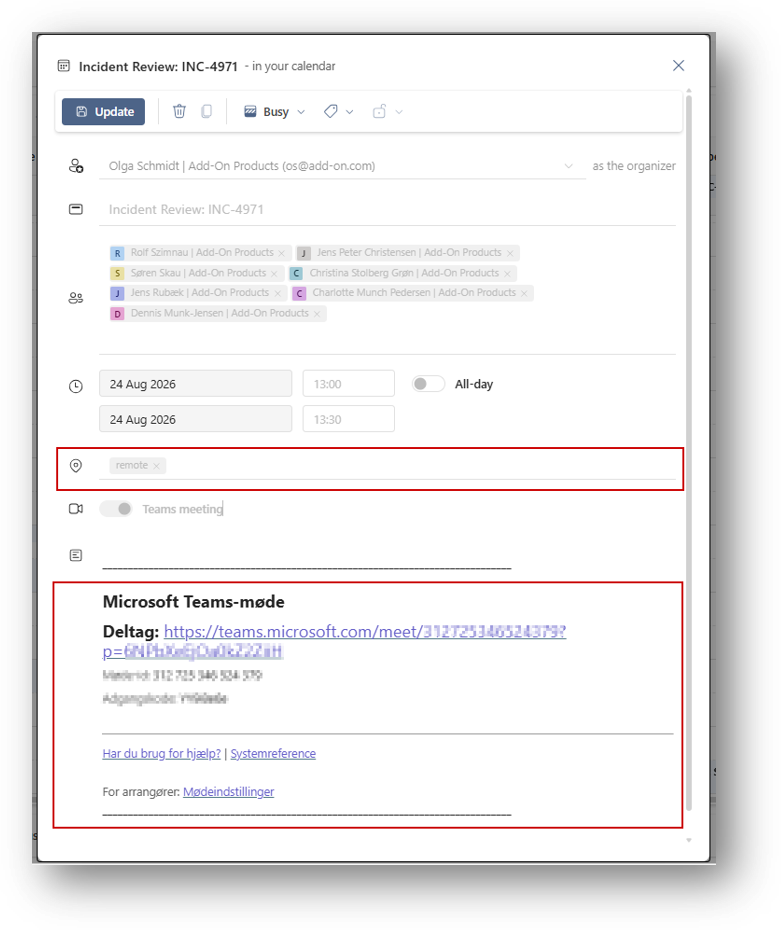
At the same time, location information is now displayed more prominently and also visible in the tooltip, making it easier to identify where meetings and appointments take place.
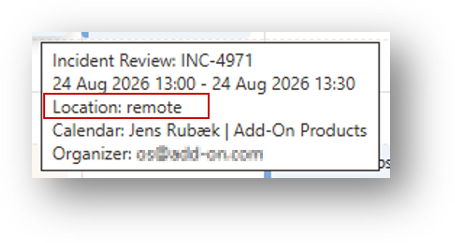
These improvements make calendar entries easier to read and understand without the need to open the appointment in Microsoft Outlook. This is especially useful for organizations that include agendas, images, customer information, meeting links, and other detailed content in calendar appointments.
Was this article helpful?
That’s Great!
Thank you for your feedback
Sorry! We couldn't be helpful
Thank you for your feedback
Feedback sent
We appreciate your effort and will try to fix the article