In Resource Central 4.4 we are introducing two new main features: External booking and Visitor documents. Additionally we have added new and larger list of icons to categories and changed a bit on how to edit and set the default text on resource types.
For those who chose to upgrade to Resource Central version 4.4 there will as be a brand new and improved Resource Finder (Outlook add-in) that will make it even faster and more intuitive to find the right resource.
Upgrading to Resource Central 4.4 also gives the option to install the new client app 2.0. Read about the new client app here
Visitor Documents
We are introducing a new feature called ‘Visitor documents’. The feature will enable you to you’re your visitors read and confirm specific documents before they arrive, or on the kiosk on arrival.
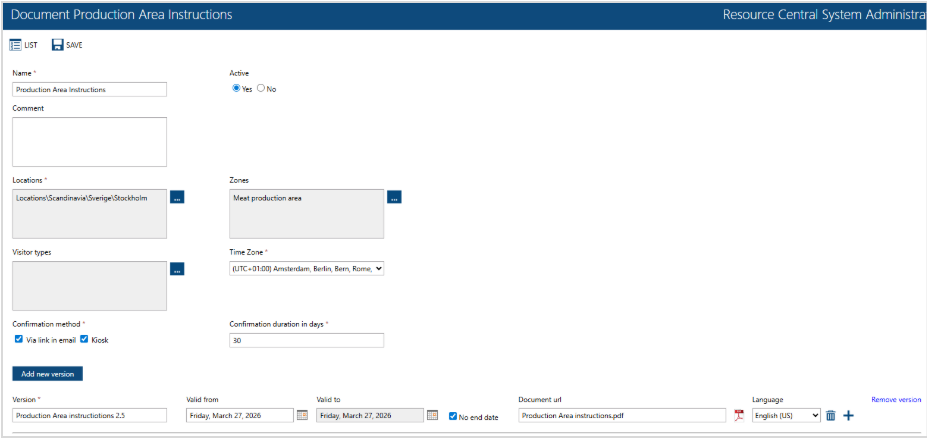
Documents can be configured individually for a location and/or zone, enabling you to i.e. make specific documents for a production area. The confirmation of a document can be valid for x-days, meaning if the visitor visits again within this date range, the document does not need to be re-confirmed.
The visitor cannot be checked in before all required documents are confirmed.
Configuration of documents
Besides being configured per location and/or zone, documents can be replaced with new versions. The admin can decide if any active confirmations should be revoked. Documents can be setup to be confirmed via a link in an email and/or on a kiosk.
Registering a visitor
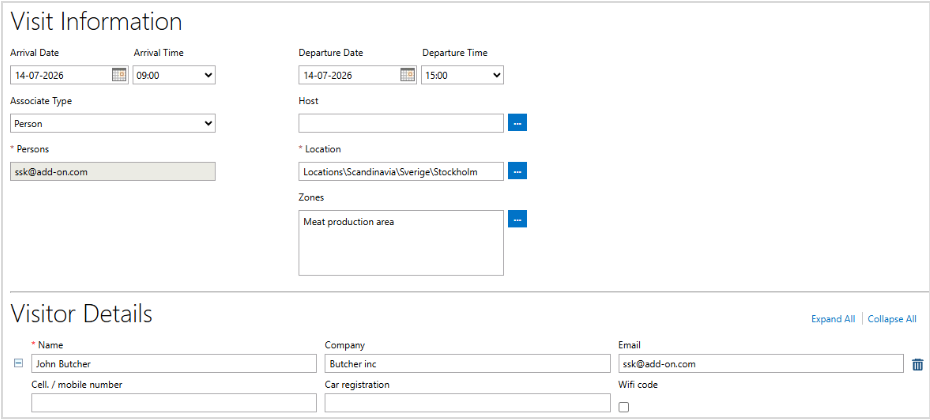
There is no change to the way a visitor is registered by an organizer or by a receptionist.
Visitor email
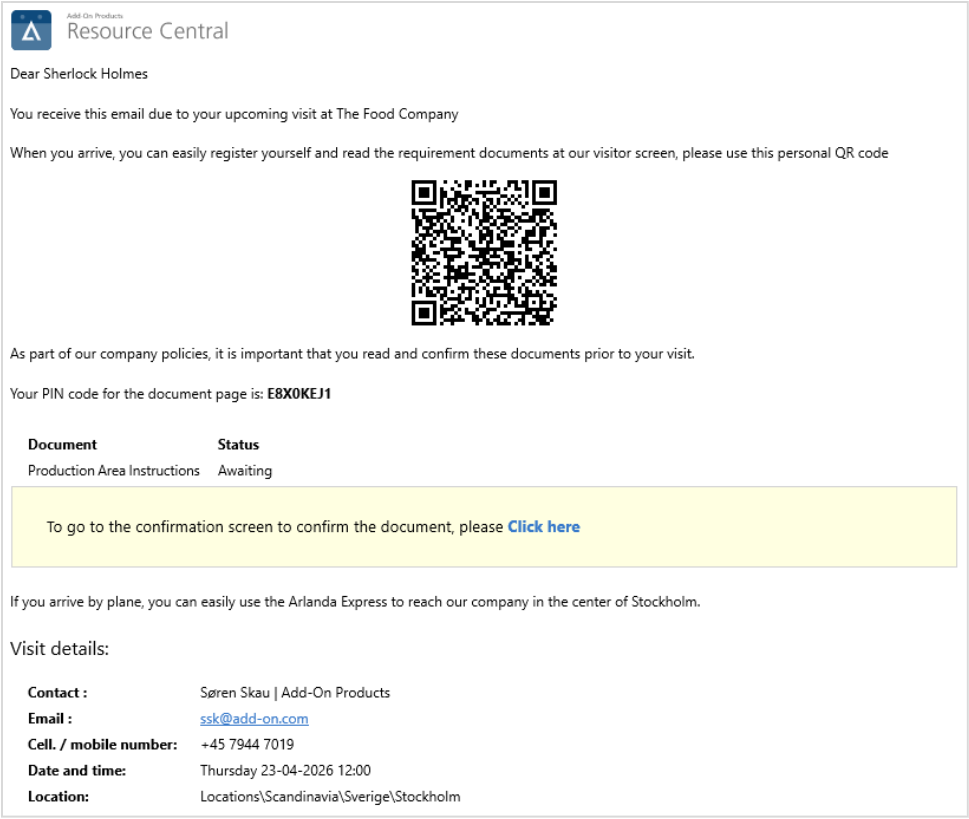
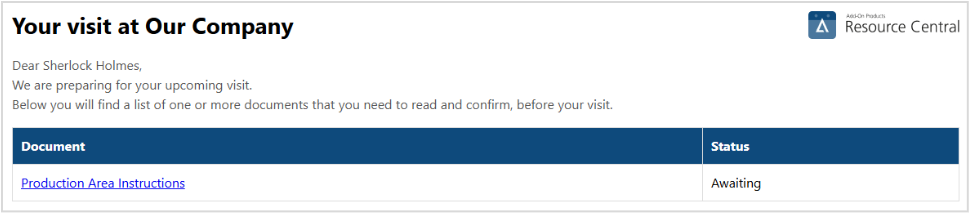
The visitor receives an email with a QR-code to check in (If a kiosk is setup for QR code check in) and a link to reach the documents that must be read and confirmed.
Confirming a document via email
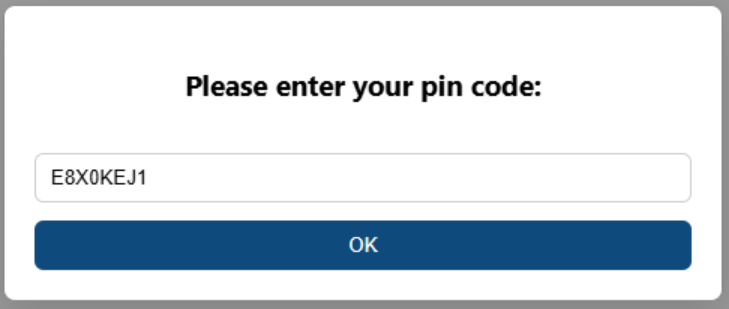
When using the link in the email, a PIN code from the email must be entered:
The documents that require confirmation are listed and can be selected from the list:
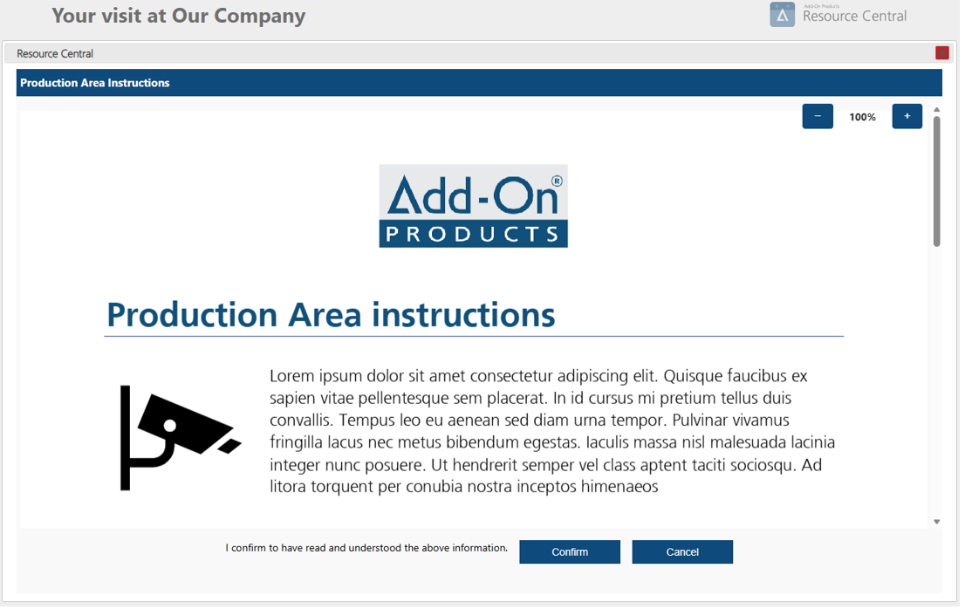
When selected the document is displayed and can be confirmed.
Confirming a document on a kiosk
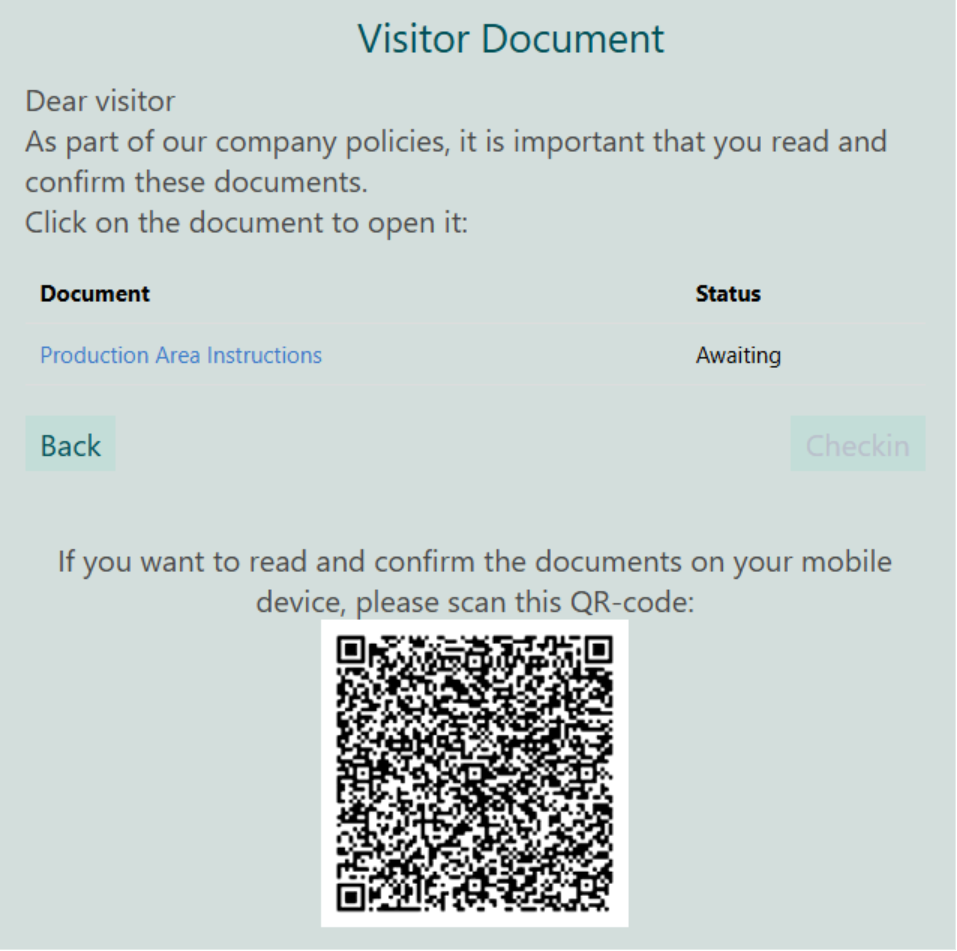
When checking in on the kiosk, a list of required documents will be displayed. The documents can be opened, read and confirmed on the kiosk. The visitor will also have the option to scan a QR code and continue the reading and the confirmation as well as the check-in, on their own mobile device.
Please note that the new Visitor Document feature is a payable feature inside Resource Central.
External booking
We have added the option to include external companies to share your resources.
This feature will primarily allow other exchange tenants to be whitelisted and the users being able to see and book resources.
If you are sharing space with other companies this might be a good option to share resources such as common meeting rooms in a smarter way.
Please note that the external booking feature is a payable feature inside Resource Central.
Technical improvements
We improved loading times on resources and orders for this version.
Selected smaller improvements
New category icons : We have added new category icons to match the new client app and we have added a set of new icons based on request from customers.
Decline button is back : The decline button is back in the booking manager
License expiry : Issue with some licenses expiring has been fixed
Was this article helpful?
That’s Great!
Thank you for your feedback
Sorry! We couldn't be helpful
Thank you for your feedback
Feedback sent
We appreciate your effort and will try to fix the article